Balloon-only tools
- Annotate drawings
- Stop before measurement entry
- Still leave spreadsheet cleanup


Dimensional inspection report software for machined parts
Upload a drawing, capture dimensions, enter sample measurements, and export a clean PDF or AS9102C-style workbook from one focused browser tool.
Product demo
A short workflow simulation: import the drawing, extract characteristics, record measurements, and finish with a report-ready output.
Where it fits
Report examples
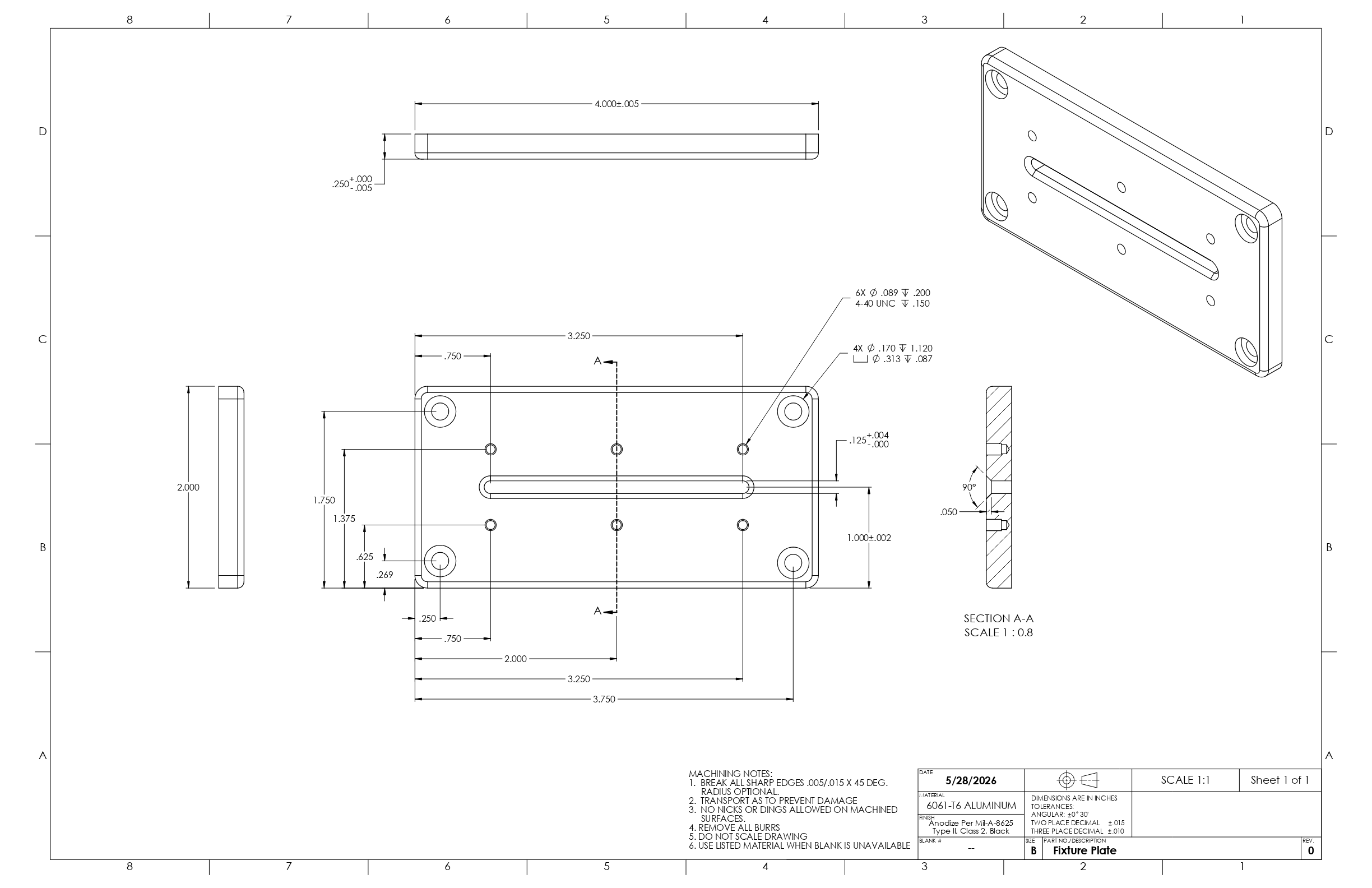
Use the commercial-safe DEMO-001 fixture plate assets to evaluate the exported report quality and workbook layout.
Customer-facing dimensional inspection report with drawing reference, sample summary, dimension status, and measurement appendix.
Download PDF Workbook AS9102C-style Forms 1–3 plus Raw MeasurementsFamiliar workbook layout with dimensional inspection inputs populated where the app collects them, plus a full sample measurement matrix with stats.
Download XLSAS9102C-style export is not positioned as full FAIR compliance. Fuller FAIR metadata can be added as product requirements harden.
Control
Extract dimensions where possible, review every result, and keep the inspector in control.
Use PDF, PNG, or JPG drawings, then export PDF reports and AS9102C-style XLS workbooks.
Import and export inspection sessions as files for sharing, backup, and handoff.
Pricing
Unlimited parts, dimensions, and reports on every plan.
For one inspector or engineer running local browser-based inspection reports.
Choose monthlyTwo months included for those who want the focused workflow for ongoing jobs.
Choose annualLimited to 25 founding users who want to pay once and keep the workflow — the "Founding 25."
Get lifetime accessNot sure which plan fits? Try a free 14-day trial — no credit card required.
Start your free trialFAQ
For dimensional inspection reporting, that is the intent. You still get familiar exported files, but the measurement entry, pass/fail logic, notes, and report structure live in one focused workflow.
Yes. The current workflow supports PDF, PNG, and JPG drawings. Vector PDFs can also expose embedded text that helps with dimension extraction.
No. The app is intentionally browser-first and focused on one job: turn a drawing and sample measurements into a clean report.
The app supports tolerances, sample measurements, pass/fail status, failed sample IDs, notes, report preview, PDF export, and AS9102C-style workbook export.
No required AI upload is part of the core workflow. Dimension extraction is operator-reviewed by design.
Not yet. The workbook export is AS9102C-style and currently strongest around dimensional results. Full FAIR metadata should wait until those inputs are explicitly collected.
Built by Alar Systems
Alar Inspection Report started as a focused tool for turning real inspection work into clean reports without enterprise overhead.
Contact
Sales questions, help using the app, or a bug report — send it all to one address. For bugs, include the steps to reproduce, your browser, and a screenshot if you can.
[email protected]We typically respond within one business day.